PUBG Emotes in 2026: Controls, the Emote Wheel, and All Default Emotes
PUBG emotes and the PUBG emote wheel are easy to master with this 2026 guide to controls, default emotes, and quick slot selection.
Even years after it first dropped players onto Erangel, PUBG still hands out those tiny moments of glory — and nothing sells a moment quite like a well-timed emote. Whether a player wants to mock the squad that just whiffed every shot, silently coordinate with a random teammate, or dance on the crate where a chicken dinner was just secured, emotes are the cheapest form of trash talk and the warmest form of teamwork in the game. The trouble is that PUBG's control scheme is dense, and the emote inputs are buried under layers of key bindings that the game never explains all that clearly. So here is the no-nonsense version, updated for how things stand in 2026.
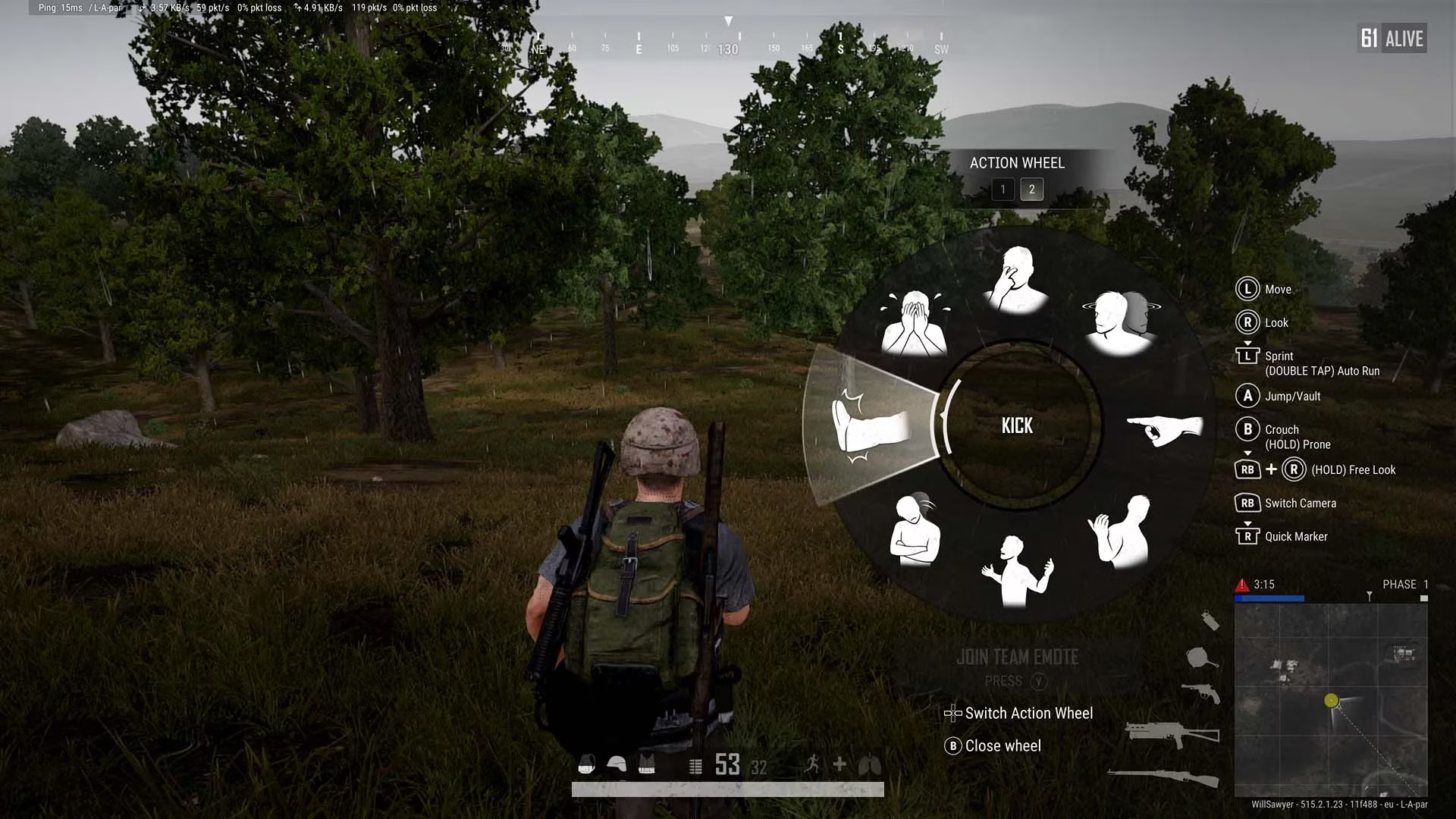
Opening the emote wheel without panicking
The good news is that the emote wheel is a single input away on every platform — the bad news is that the input is different depending on where a player is sitting.
| Platform | Input to open the emote wheel |
|---|---|
| Xbox | Hold LB + RB together |
| PlayStation | Hold L1 + R1 together |
| PC (UK layout) | Press the ` key |
| PC (US layout) | Press the ~ key |
On PC, that key sits directly beneath Esc, which is why so many players stumble across the emote wheel by accident while reaching for the pause menu. Controller players have it slightly easier in one respect: holding both bumpers is a deliberate action, so nobody opens the wheel mid-firefight by mistake.
Once the wheel is up, selection works the way most players would expect. Controller users nudge the right stick toward the emote they want, while PC players move the mouse. The wheel has two pages, with eight slots on each, and controller players flip between them using left and right on the D-pad. PC players get an even faster route: every slot on the wheel is numbered, so pressing the matching number key fires off that emote instantly. It is worth memorizing two or three numbers — the ones for a quick wave or a laugh — because fumbling through a menu while an enemy watches is not a great look.
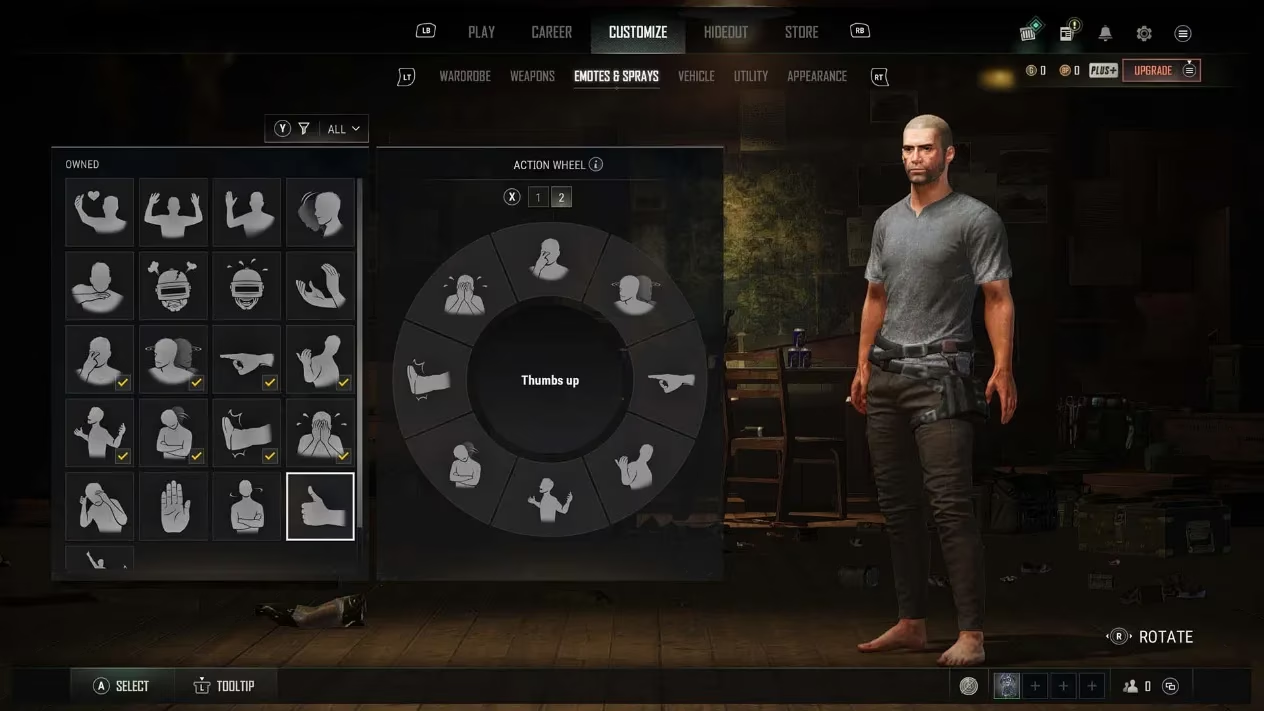
Every default emote players already own
Here is a detail that surprises a lot of newer players: nobody has to buy anything to start emoting. Every account comes with 21 default emotes unlocked from the start. The catch is that the wheel only holds 16 at a time, so a bit of curation is required. The full default set looks like this:
-
🎉 Celebrate
-
🙏 Thanks
-
🏳️ Surrender
-
👋 Hello
-
👍 Affirmative
-
🚫 You're done
-
😡 Rage
-
😂 Laugh
-
👏 Clap
-
😈 Provoke
-
👎 Negative
-
➡️ Go
-
🤙 Come here
-
🤷 Shrug
-
😒 Jealous
-
🦵 Kick
-
😭 Cry
-
😨 Cower
-
✋ Stop!
-
⏳ Impatient
-
👍 Thumbs up
Some of these are pure communication tools — Affirmative, Negative, Go, and Come Here do more for squad coordination than most voice chat lobbies manage. Others exist entirely for psychological warfare. A well-placed Laugh after knocking someone through a window has ended more friendships than any weapon in the game.
Rearranging the wheel to fit a playstyle
Customization lives in the main lobby, not in a match. Players head to the Customize menu, then across to the Emotes & Sprays tab, where a grid of every owned emote sits beside a live preview of the current wheel. Swapping something in is a two-step process: pick the emote from the grid, then pick the slot to overwrite. Whatever was in that slot gets replaced without ceremony.
A few practical notes from players who have been doing this for years:
-
Keep the fast, readable emotes on page one — Hello, Thanks, and Thumbs Up are the ones teammates actually notice.
-
Reserve page two for the taunts, since digging to page two mid-fight is a commitment.
-
Duplicates are allowed. Nobody needs the same emote in four slots, but the game will absolutely let it happen.
-
Revisit the wheel after earning new emotes from passes or events, since fresh unlocks do not auto-equip themselves.
A quick word on timing
Emotes in PUBG are not cosmetic-only in the practical sense — they lock a character in place for a second or two, which is a genuine risk when the circle is closing and someone is holding an angle. The veterans treat that as part of the fun. A player who emotes at the wrong moment becomes a clip; a player who emotes at exactly the right one becomes a legend. That balance, more than anything, is why the emote wheel is still worth learning in 2026.